


1
2
3
4
John
Kate
Mapping out the flow of John’s user journey revealed the benefits of having an easy-to-use, step-by-step process of sharing songs with friends, and allowing users to make connections with friends.
John's journey:

Mapping out the flow of Kate’s user journey revealed the benefits of making sure that features are viewable and easily accessed by the user.
Kate's journey:

FLOW

quick sharing
minimal and intuitive app design
option to select language
send parts of songs
create chats with friends
quick sharing
notifications/reminders for songs sent
trending news in music that users can share with each other
song/genre recommendations
create a “bucket” of songs to add to before sending
THE DESIGN
1ST PROTOTYPE BEFORE USABILITY TESTING
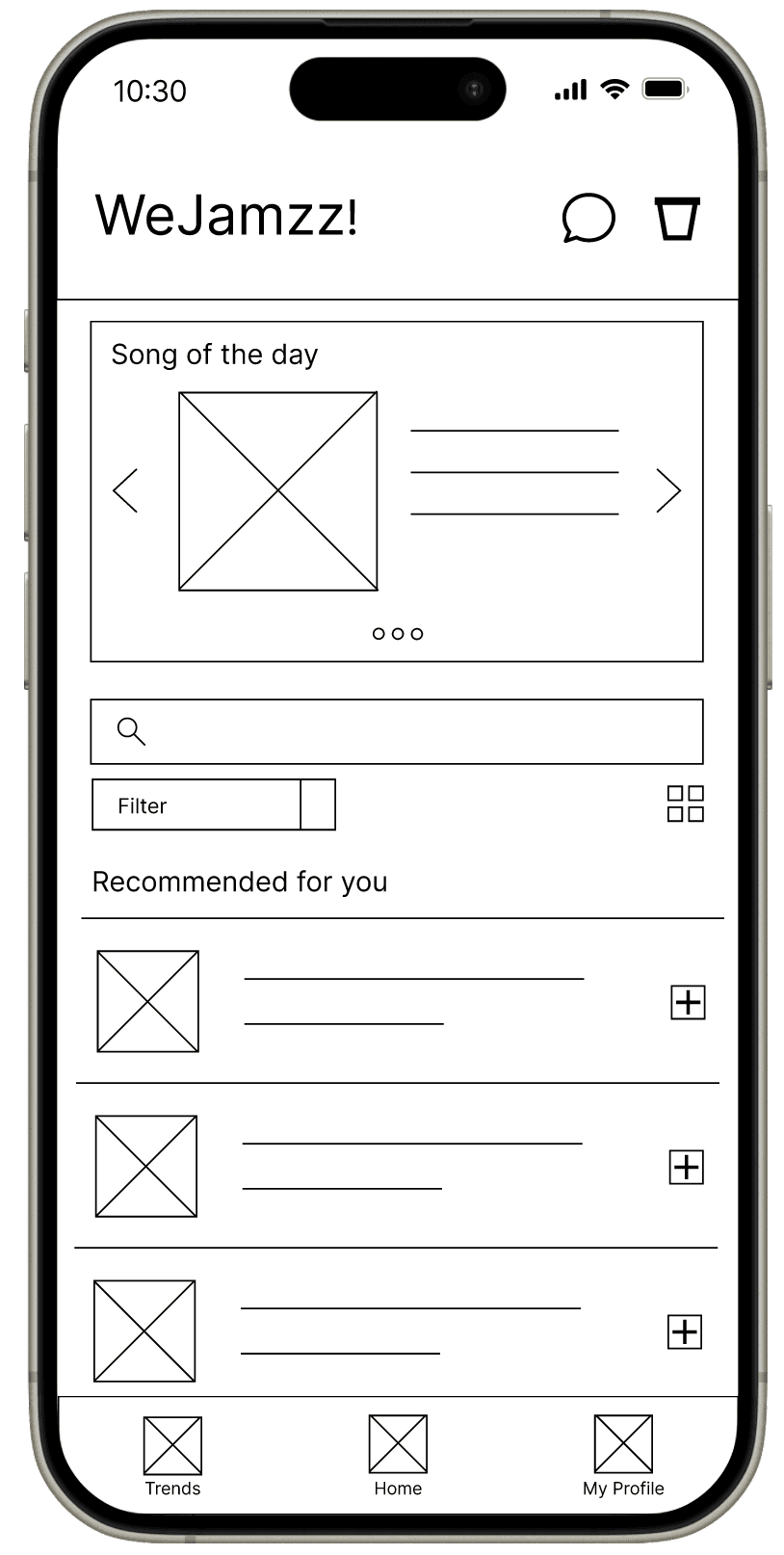
The homepage displays a trending song/artist/album, followed by a search feature and recommended songs based on genres and artists that the user has favorited.
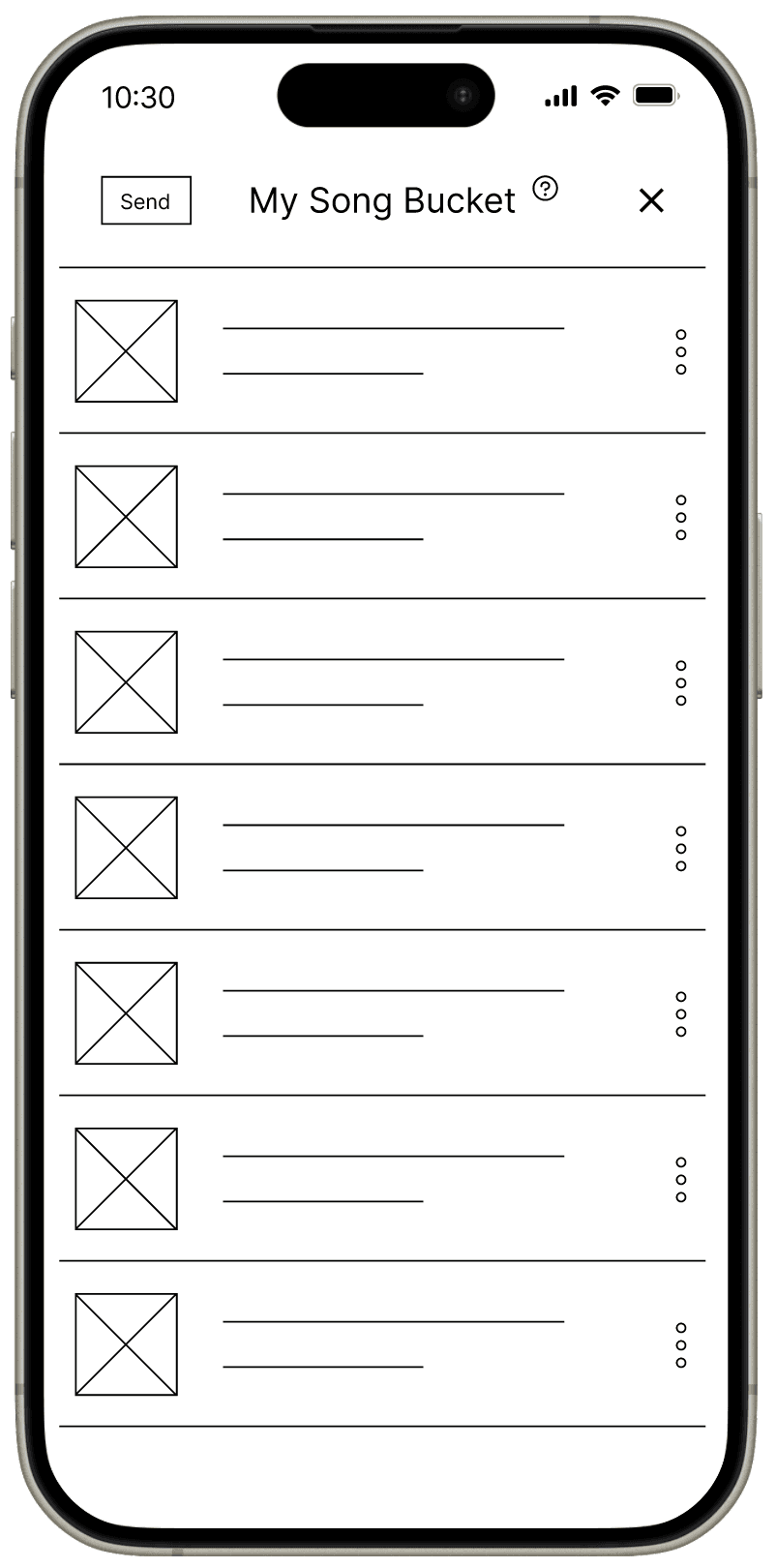
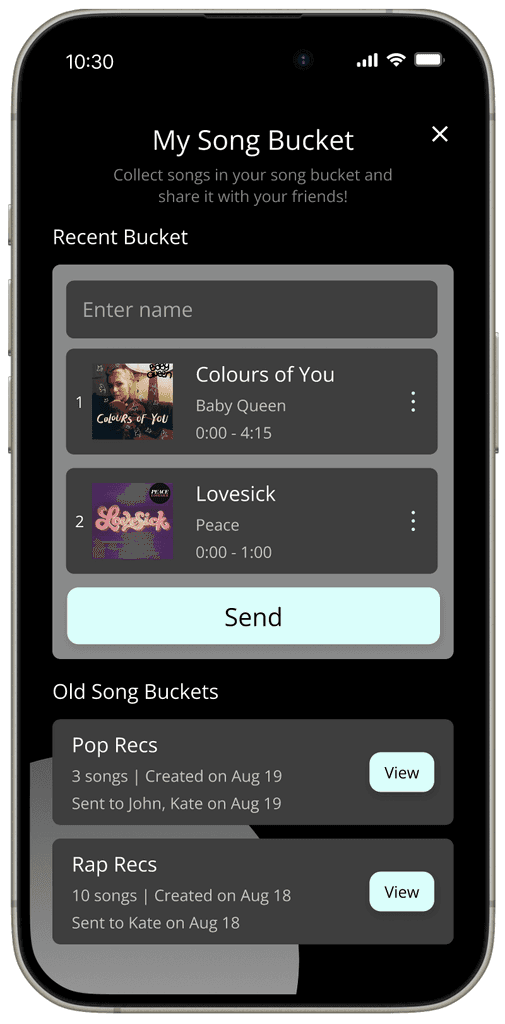
When the user adds songs to their bucket, they can view it and select a part of each song that they want to send. These steps allow the user to send all the songs, including specific parts, to their friend.
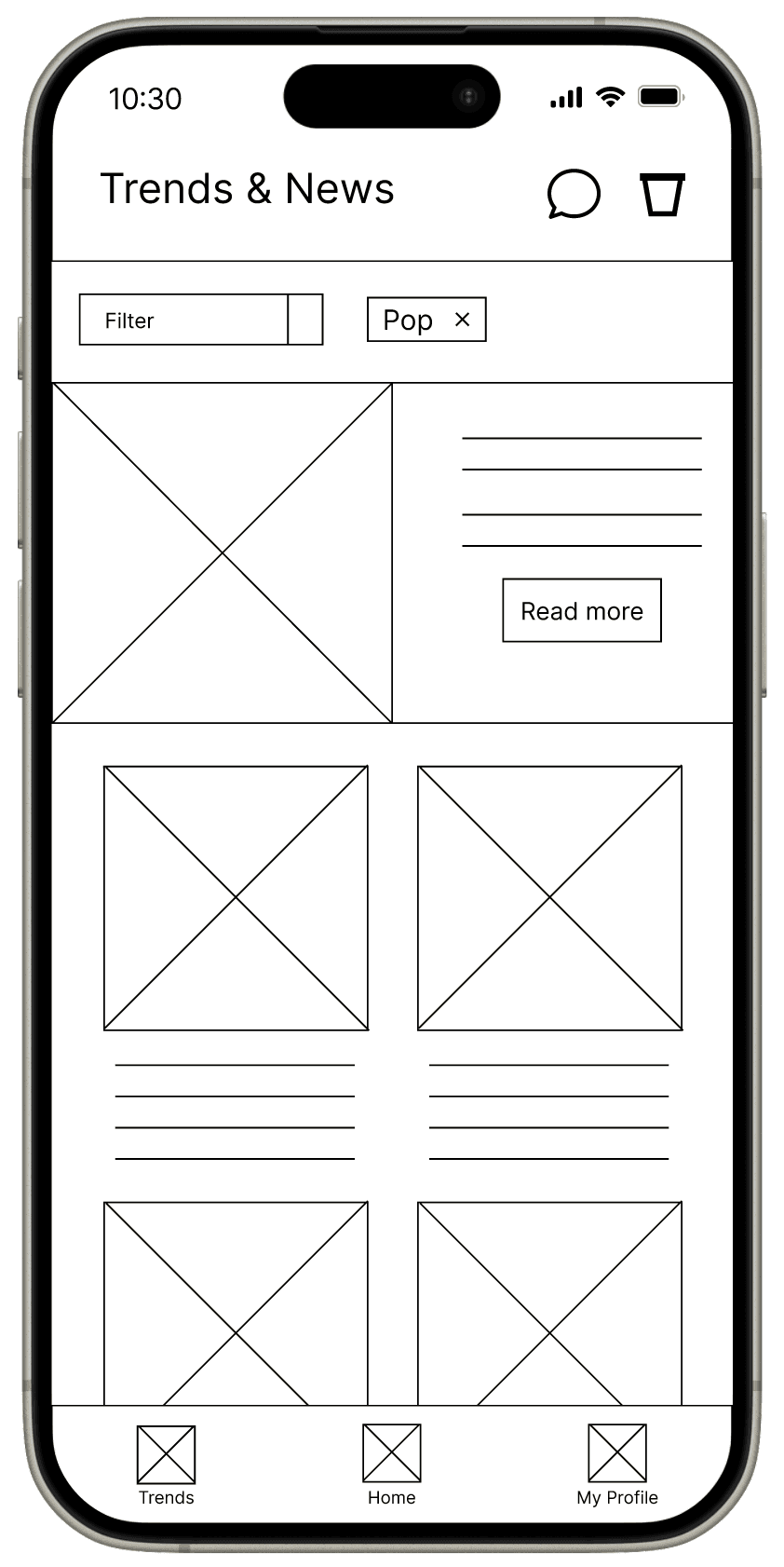
I also added a feature that allows users to explore trending news about specific genres and artists, and easily share these with friends. This addition would encourage users to engage with and share a broader range of content beyond just songs, through shared interests.
1st USABILITY STUDY
To understand how my users navigate through the main features, I conducted a usability test on the lo-fi prototype with the purpose of answering these main questions:
MAIN INSIGHTS
1. Based on the theme that for some users, it is not immediately clear where the song bucket is, an insight is: users need better cues for the location of the song bucket.
Based on the theme that: some users are unsure of what the song bucket is, an insight is: users need a short tutorial on what the song bucket does.
Based on the theme that: users were interested in integrating with streaming platforms, an insight is: users need a way to connect their streaming service account to WeJamzz!.
Based on the theme that: few users wanted to save their favorite songs/parts of song, an insight is: users need a way to save and view their favorites on the app.
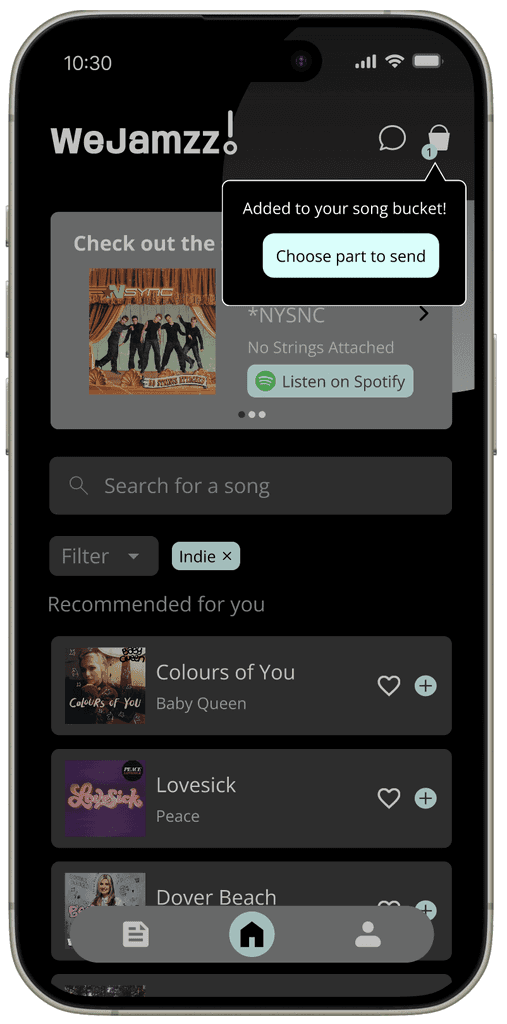
LOCATING THE BUCKET
The first priority was to design a better way for users to understand where the song bucket was located and what to do with it.
When the user adds a song to their bucket they are prompted to click on the bucket icon in the top right corner.


VIEW FAVORITES
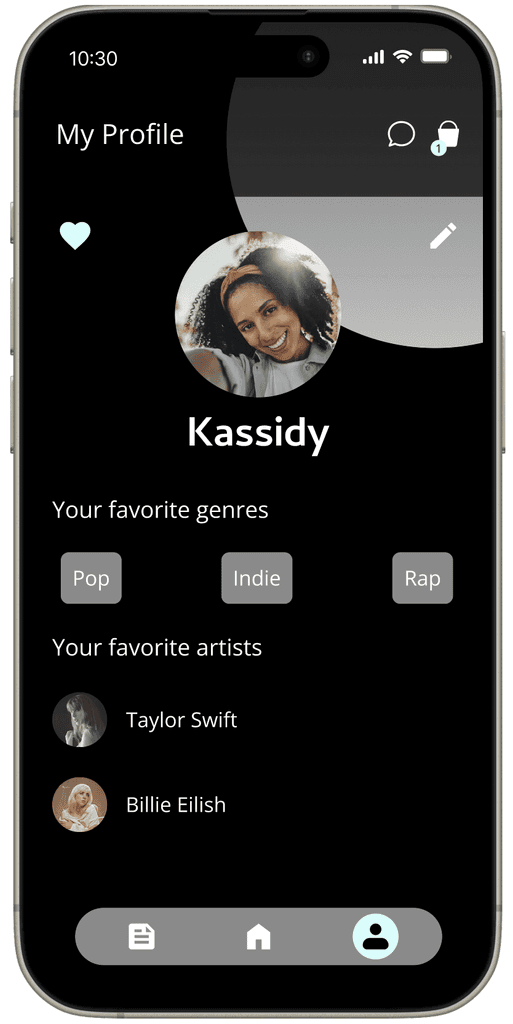
These mockups display a way for users to save and view their favorite songs.
After favoriting a song from the homepage, the user can view their favorites from the profile screen.
2ND USABILITY TEST - HI-FI PROTOTYPE
For the second usability test of WeJamzz!, I wanted to test the usability of these features:
View the song bucket and select a part of a song
Find the trends/news page, and send an article to a friend.
View messages, and view a song bucket that you received.
View profile and view liked songs.
And finally, I wanted to study the users thoughts and feelings about using the app as a whole, and if there were any suggestions for improvement.
MAIN INSIGHTS: Since this was the second usability study, there were minor changes I needed to make for the second iteration of the mockups.
SONG PART SELECTION
To make part selection easier, selecting by the lyrics would be more helpful.
Before, the user could only select the part using the audio waveform visualization, but I thought it would be more useful to include lyrics so that they can select the part they want easily.
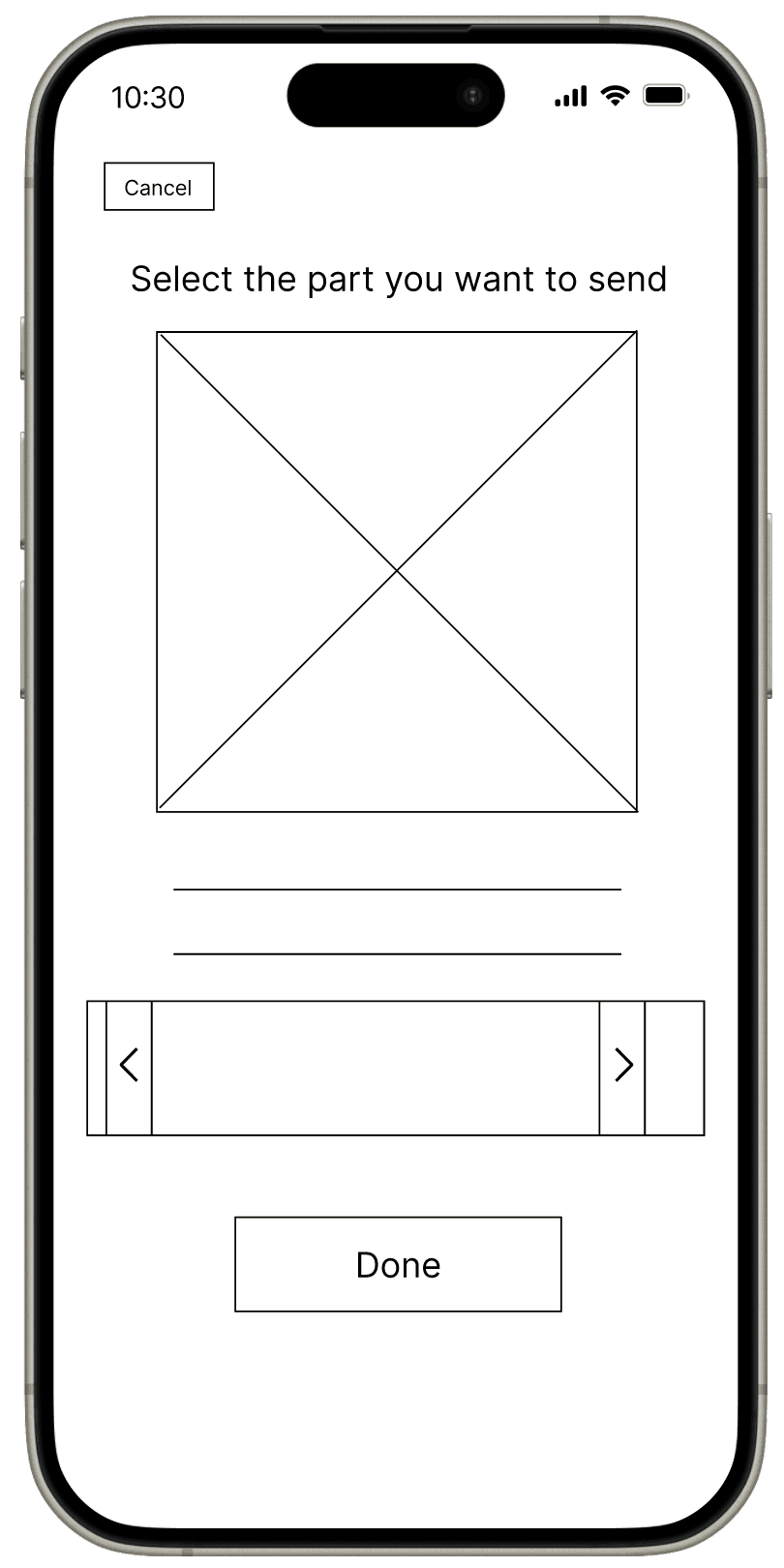
Before
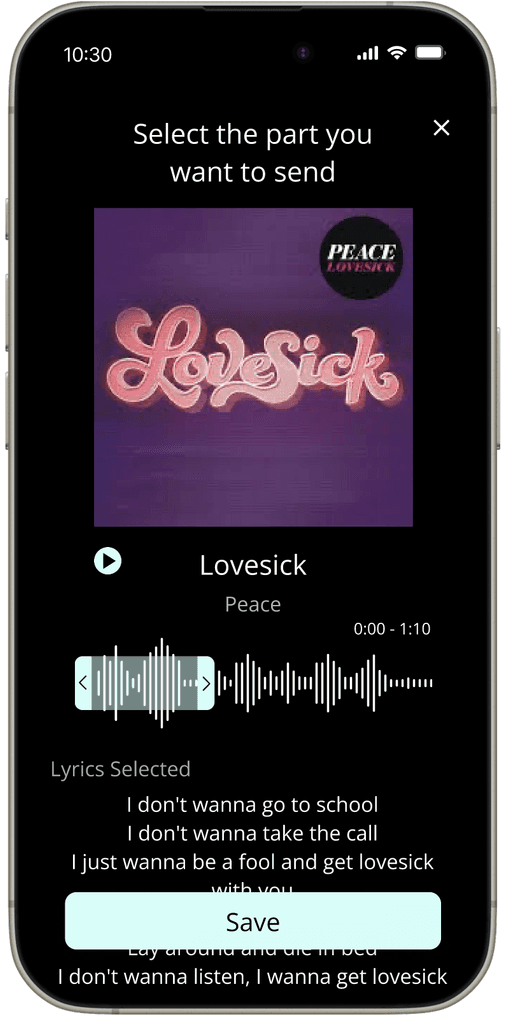
After
VISUALIZER
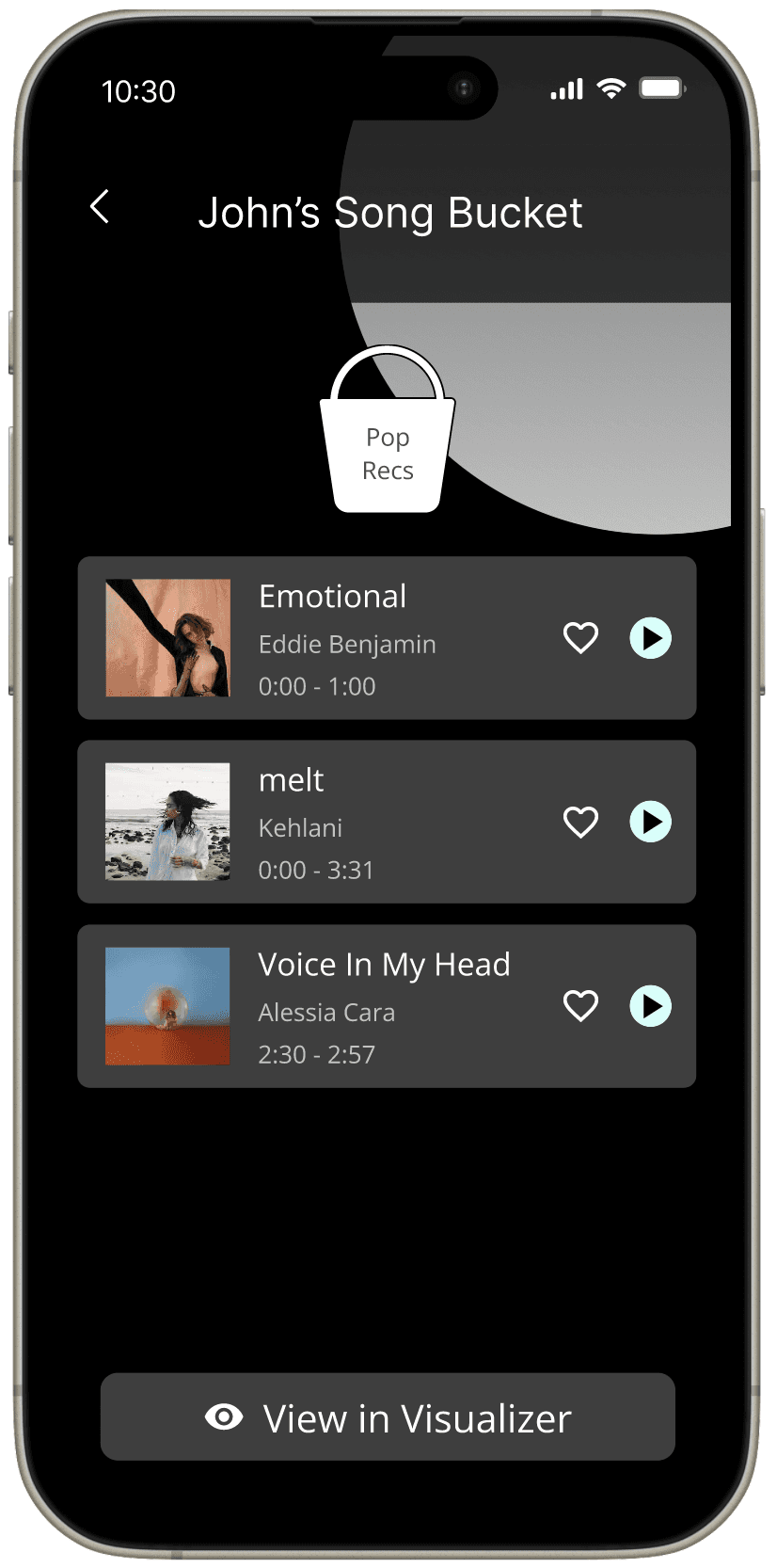
For accessibility purposes, some users wanted a way to view the lyrics at the same time as the song after receiving the bucket. The visualizer therefore provides a way for people with hearing disabilities to experience the song in a visualizer, via a youtube video and lyrics.

DESIGNING THE WEBSITE
To kick off designing an accessible website experience for WeJamzz!, I first created a rough sitemap that outlines the structure:

HI-FI MOCKUPS
The first text on the homepage summarizes the product as a whole: “Share music and trends with friends”, followed by a brief description of the website and a button to sign up.
Popular artists, genres, and articles take up the rest of the homepage.

FINAL PROTOTYPE
TAKEAWAYS
An interviewee quoted “I really like the idea of this app, I’m really excited to see what new features you come up with in the future!” Music is something that binds all of us, and a sharing app that allows people to share their musical interests with friends will have a great impact.
What I learned: Considering accessibility taught me to design for specific needs and think of perspectives other than mine. I learned to brainstorm features based on user research and keep their thoughts and feelings in mind while designing.
Going back, I would iterate more on the bucket feature to generate more ideas for uniqueness, and make it more appealing for users to use.
NEXT STEPS
Since we now live in a world of AI, I would like to explore how I can incorporate an AI bot that provides music recommendations to users tailored to their preferences. Additionally, the bot could also provide recommendations on songs to send to their friends based on their friends’ preferences.