


Jun - Sep 2024
Simplifying complex contract workflows
Simplifying complex contract workflows
Simplifying complex contract workflows
Design @ Malbek
Design @ Malbek
Design @ Malbek

internship duration
internship duration
Jun - Sept 2024
team
team
VP of Product (manager)
Principal Engineer
my role
my role
UI/UX Design Intern
skills
skills
UI/UX Design
Figma
SaaS Design
Malbek's competitors
I studied Malbek's competitors and what they offered, to get a sense of what contract lifecycle management is and how it helps the user and how Malbek uniquely implements CLM for their clients.
This competitor analysis gave me a better picture as to how Malbek differs and is similar to these companies, and how I could help design features that sets the company apart.
getting to know the product
I spent around two weeks at the beginning playing with the product by creating mock contracts and moving them to different stages of the contract lifecycle and performing different actions on them to get a sense of the user flow, and ideating for future design projects.
INITIAL THOUGHTS: documented details of the user interaction jotting down eye-catching features and any moments of frustration.
Slightly overwhelming interface, but got used to it quickly.
Consistent action button locations.
Noticeably inconsistent UI patterns.
Felt a little confused navigating throughout initial interaction, but that may be because of my unfamiliarity with CLM.
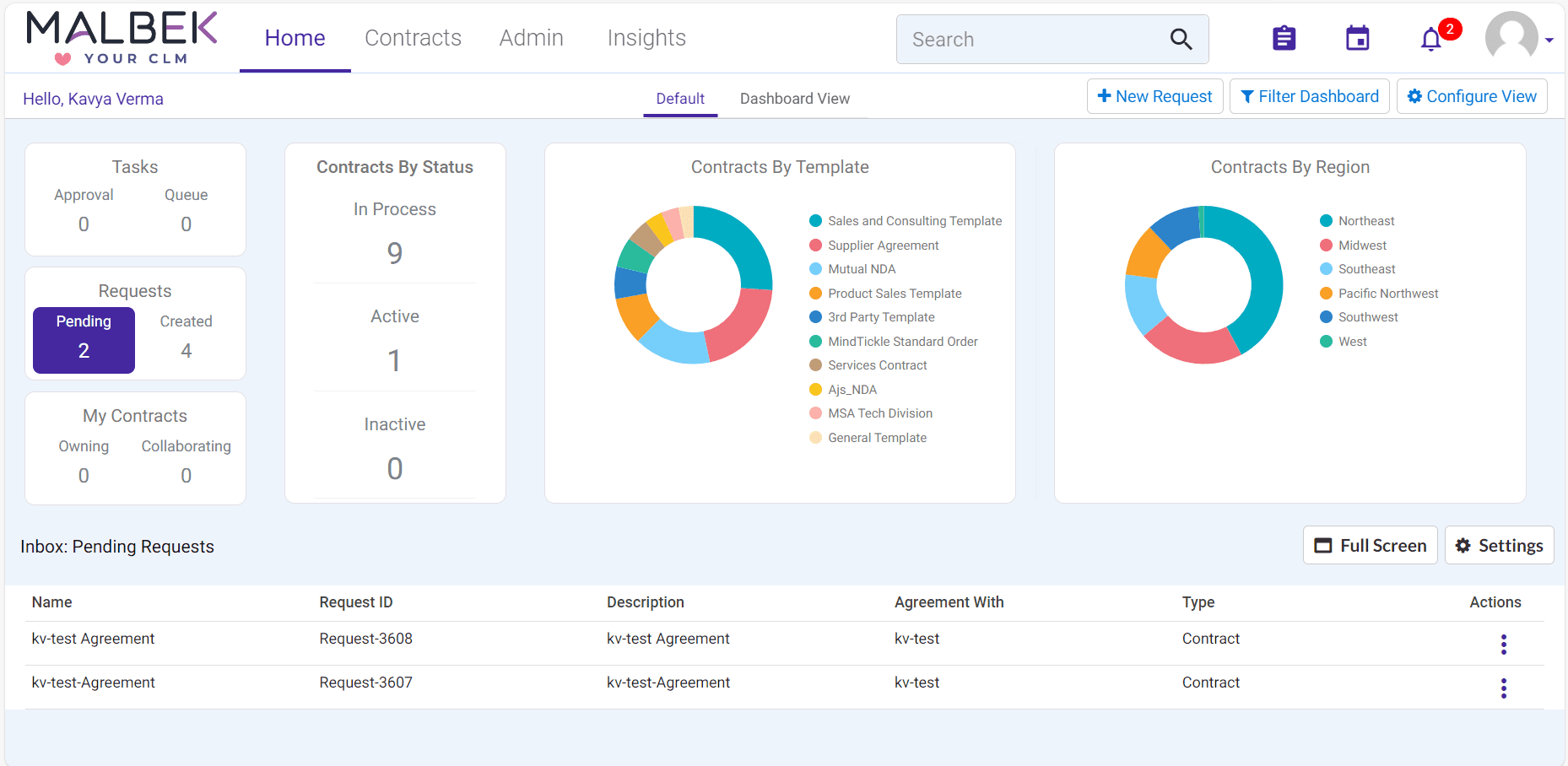
team
Throughout my internship, I prioritized collaboration and seeking feedback from the people I worked with. I worked closely with my manager, the CEO, product managers, and engineers, designing solutions that addressed to specific user problems and align our designs with the clients' needs.
so where do I come in?
My role was to tackle these key challenges throughout the internship:
Design for users to seamlessly navigate the processes of contract creation and negotiation.
The presence of inconsistent UI elements and patterns due to a lack of a unified style guide.
intro to Malbek
intro to Malbek
intro to Malbek

Malbek is a contract lifecycle management company aimed at providing efficient contract creation and negotiation processes, and incorporating AI tools in their interface to provide a seamless experience.
Malbek is a contract lifecycle management company aimed at providing efficient contract creation and negotiation processes, and incorporating AI tools in their interface to provide a seamless experience.
AI clause trainer
AI clause trainer
The AI clause trainer is used to generate different variations of a clause from samples that I upload, which will be used to extract that clause from a contract document.
The AI clause trainer is used to generate different variations of a clause from samples that I upload, which will be used to extract that clause from a contract document.
There was a lack of an intuitive step-by-step flow for the user to train the given model with sample clauses.
There was a lack of an intuitive step-by-step flow for the user to train the given model with sample clauses.
wizard steps
wizard steps
my samples
User provides sample clauses.
User provides sample clauses.
generated samples
Model generates all possible variations of the clauses based on the samples.
Model generates all possible variations of the clauses based on the samples.
test samples
User tests all of the samples by uploading a contract document, and the model retrieves the clause.
User tests all of the samples by uploading a contract document, and the model retrieves the clause.
step 1: "My Samples"
step 1: "My Samples"
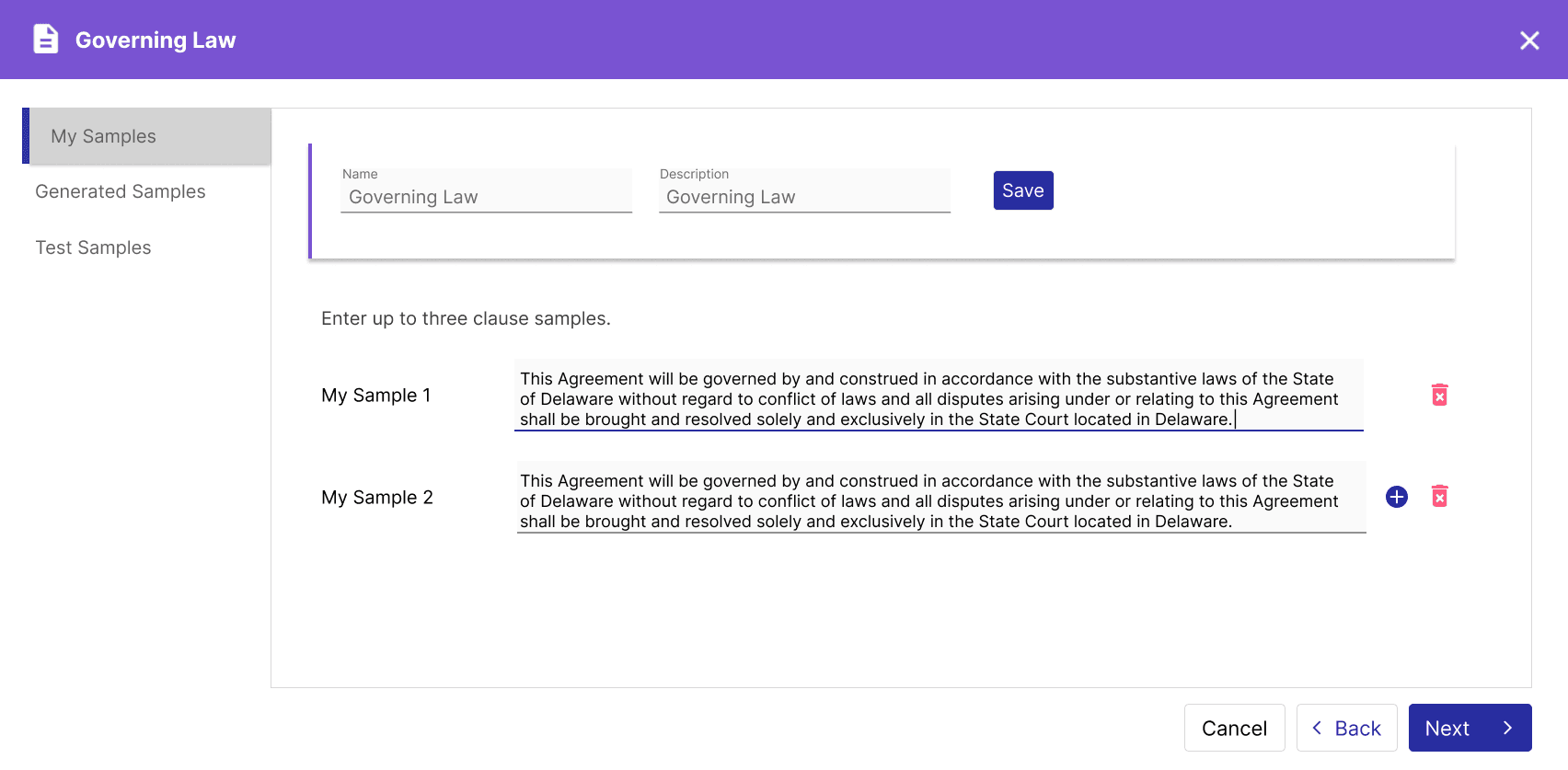
This step was fairly simple as the user only needs to enter up to three samples.
Enter clause name and description
Input samples
This step was fairly simple as the user only needs to enter up to three samples.
The UI adheres to the standard modal design which is used across the interface.
step 2: "Generated Samples"
When mocking up options for the generated samples tab, one challenge was designing how the user would regenerate samples in concurrency with accepting/rejecting individual samples.
Originally, we wanted the user to be able to regenerate individual samples, so there were a couple of iterations.
step 2: "Generated Samples"
When mocking up options for the generated samples tab, one challenge was designing how the user would regenerate samples in concurrency with accepting/rejecting individual samples.
Originally, we wanted the user to be able to regenerate individual samples, so I mocked up a couple of options:


The regenerate button is placed next to reject button. “Save & next” automatically accepts samples that aren’t rejected. This wasn’t as intuitive because the accepting method is unclear.
The regenerate button is placed next to reject button. “Save & next” automatically accepts samples that aren’t rejected. This wasn’t as intuitive because the accepting method is unclear.
A “more” button for each sample that holds a “delete”/”reject” button and “regenerate” button. This wasn’t as intuitive because user would have to click the "more" button every time they want to do one action multiple times.
A “more” button for each sample that holds a “delete”/”reject” button and “regenerate” button. This wasn’t as intuitive because user would have to click the "more" button every time they want to do one action multiple times.
final approach


User needs to accept 100% of the samples to continue.
In the “more” dropdown, they have the option to accept all samples or regenerate all samples.
User needs to accept 100% of the samples to continue.
In the “more” dropdown, they have the option to accept all samples or regenerate all samples.
When the user reaches the goal (100%) for accepted samples, they can choose to “accept all,” "generate 5 more," “regenerate all,” or continue to the next step.
When the user reaches the goal (100%) for accepted samples, they can choose to “accept all,” "generate 5 more," “regenerate all,” or continue to the next step.
step 3: "Test Samples"
To test, the user uploads a contract document and the AI clause trainer extracts the clause based on the sample clauses accepted by the user.
step 3: "Test Samples"
step 3: "Test Samples"
To test, the user uploads a contract document and the AI clause trainer extracts the clause based on the sample clauses accepted by the user.
To test, the user uploads a contract document and the AI clause trainer extracts the clause based on the sample clauses accepted by the user.

"know your counterparty" page
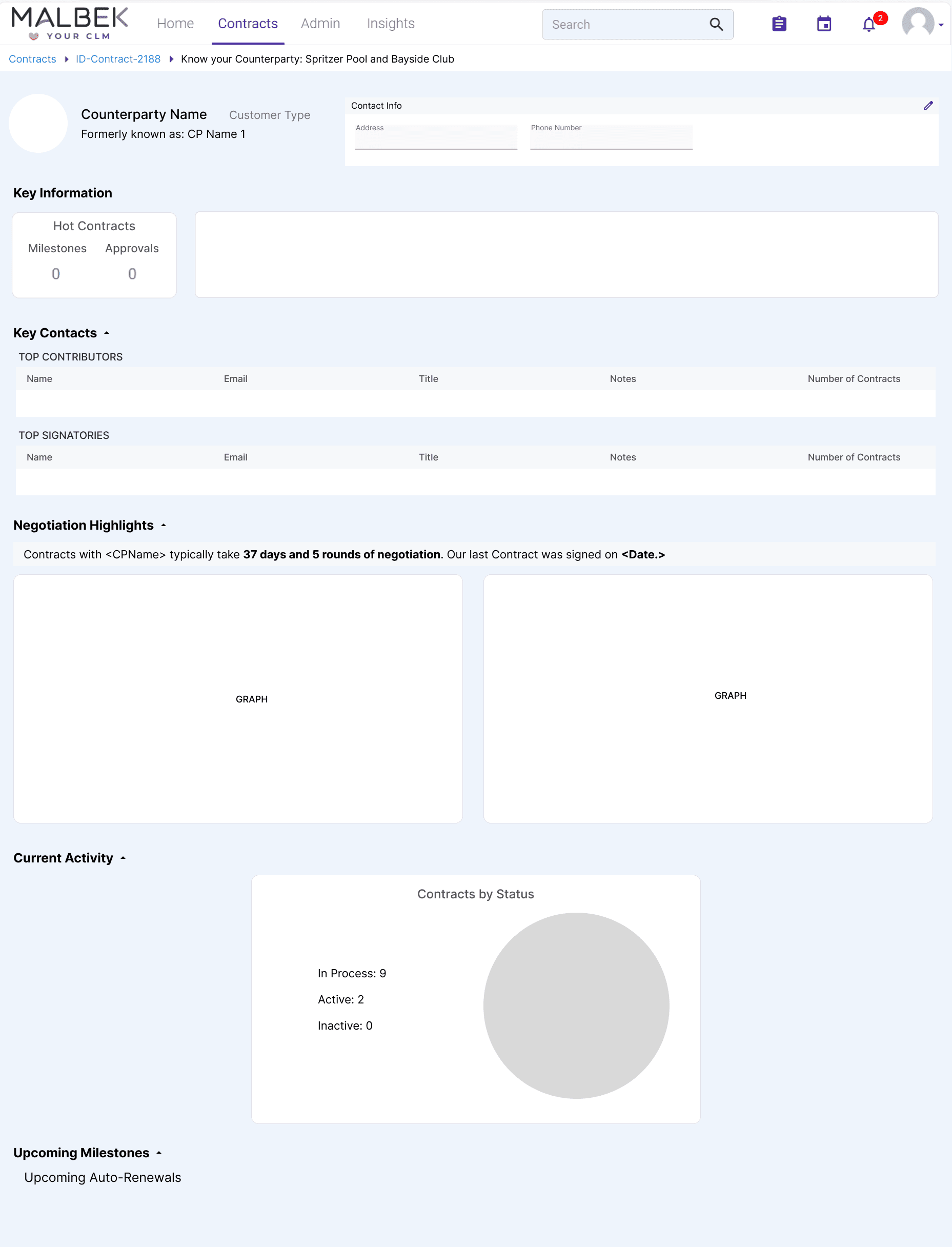
The "know your counterparty" page is where the user can view and edit a contract counterparty's details, including their key information and contract activity.
A counterparty could be a single person who is requesting a contract, or a company that has a contract with another company.
The "know your counterparty" page is where the user can view and edit a contract counterparty's details, including their key information and contract activity.
A counterparty could be a single person who is requesting a contract, or a company that has a contract with another company.
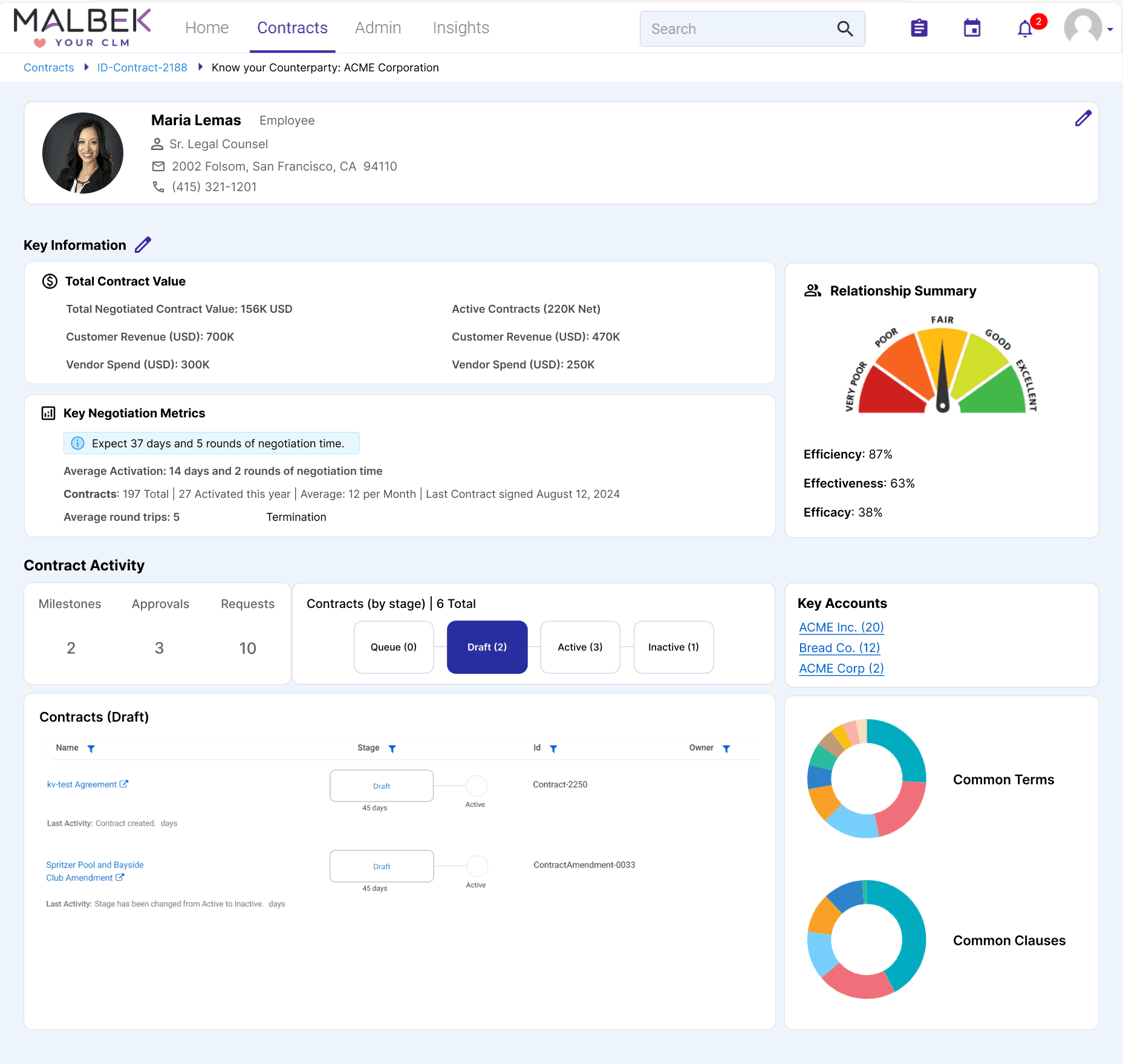
The initial mockup, which sectionalizes the information related to the customer.
1 Counterparty Info
2 Key Information
Total Contract Value
Key Negotiation Metrics
Relationship Summary
3 Contract Activity
Key accounts
Charts
1 Counterparty Info
2 Key Information
Total Contract Value
Key Negotiation Metrics
Relationship Summary
3 Contract Activity
Key accounts
Charts


The user can click on buttons located within the "Contract Activity" section, to view different types of contract activity. For example, in the mocks above, the user clicks on "Draft" to view the counterparty's draft contracts, or click on "Milestones" to view their upcoming events.
Making KYC interactive was an important component of the UI due to the substantial amount of data each counterparty contains. Organizing in clickable views therefore provided it with more structure and usability.
The user can click on buttons located within the "Contract Activity" section, to view different types of contract activity. For example, in the mocks above, the user clicks on "Draft" to view the counterparty's draft contracts, or click on "Milestones" to view their upcoming events.
Making KYC interactive was an important component of the UI due to the substantial amount of data each counterparty contains. Organizing in clickable views therefore provided it with more structure and usability.
takeaways + impact
takeaways + impact
takeaways + impact
Simplified the AI Clause Trainer into a guided, three-step experience that made the training process easier to navigate.
Structured complex contract and relationship data for the Know Your Counterparty page into interactive views, making information easier to explore.
Design systems: Audited existing UI patterns and developed a style guide to help engineers maintain consistency as the product evolved.
Working in a fast-paced startup environment strengthened my ability to adapt to changing priorities, collaborate across teams, and balance user needs with business goals. It also reinforced the importance of looking beyond individual features to consider the consistency and usability of the product as a whole.
Kavya Verma
Contact
kavya.verma@gmail.com
Kavya Verma
Contact
kavya.verma@gmail.com
