
Tennis VR (developed in Unity)
Assignment and Skill
Create a virtual reality experience focused on developing a specific physical skills.
Skill: Tennis
We focused on the hand eye coordination of the virtual racket and the ball as well as quick responses of the body.
When the ball is bouncing back, there will be a guided line to show where the ball will bounce, helping the user get used to moving into optimal positions to strike the ball.
There is also an AI agent/opponent that provides specific feedback based on where the user hits the ball.
Pros and Cons of the AI Agent
Target Users
Design and Function Requirements
Workflows
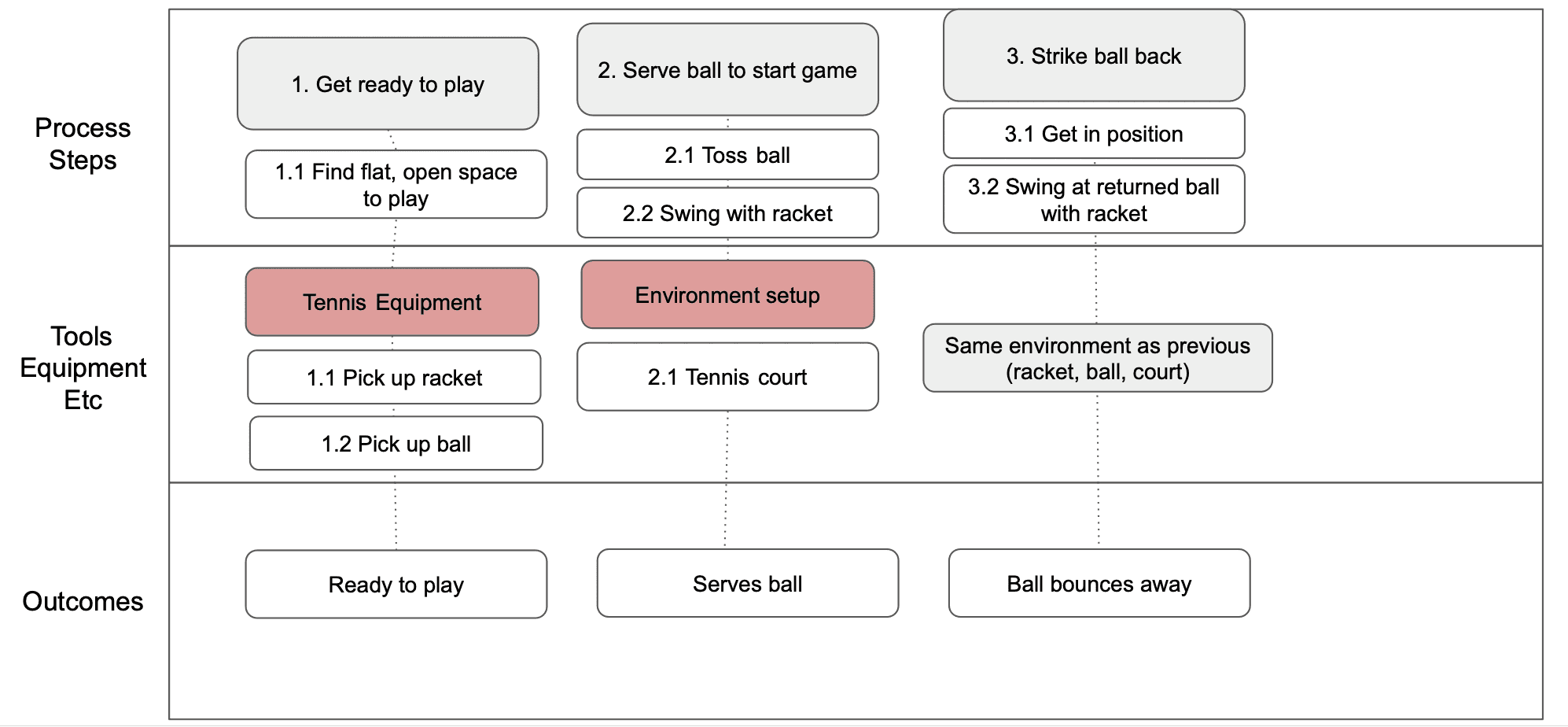
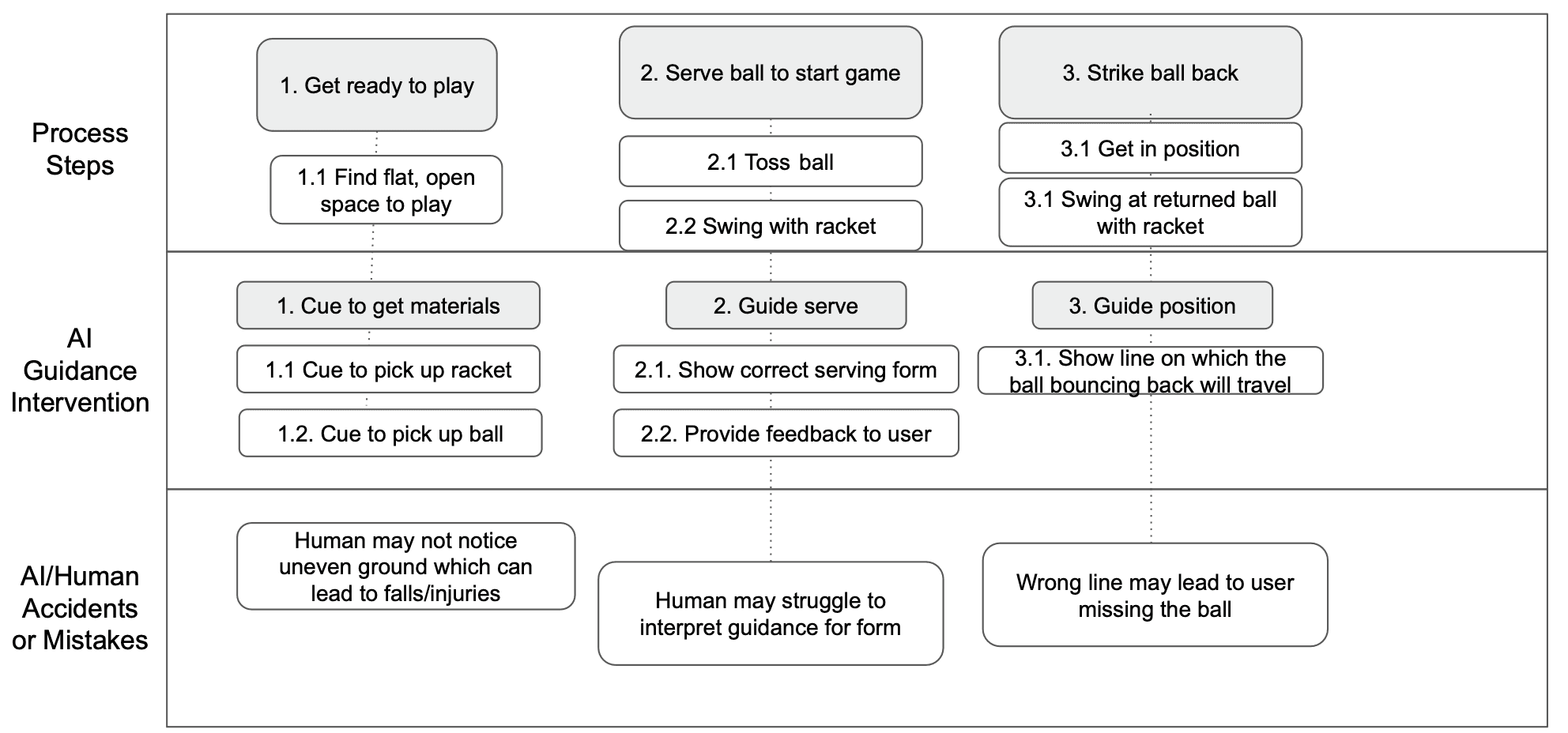
We created two flowcharts that illustrate the steps that the users take by:
1) using the tools that we would provide for them in the scene,
2) and with the guidance of the AI agent:
Features & AI Agent
When creating our scene in Unity, we incorporated these main features:
Racket functionality
Scoreboard
AI Agent (audio instructions)
Trajectory line: guides user on where to hit the ball
Ball Respawn
The instructions we created for the AI Agent to say were catered towards humans, providing positive reinforcement even when the user does something wrong (such as "Nice job, but…"). This established a comfortable and non-judgmental setting for the user when learning a skill for the first time.
Gulfs of Execution/Evalution
After implementing basic functionality, we examined the gulfs of execution and evaluation that were present in our simulation, and provided solutions to bridge these gaps between the user, environment and the AI.
Some examples of these gulfs:
Gulf: User >> Environment [Gulf of Evaluation]
Users have difficulty predicting the trajectory of the ball after they hit it because the VR system does not provide visual or sensory cues. This results in the ball landing far from the court lines, which can hurt their learning process. The system did not provide immediate and clear feedback on the quality of the user's shots: the game does not clearly communicate the current score, the rules, or the implications of specific actions (e.g., double faults, let serves).
Solution: We implemented a trajectory line that anticipates the direction of the ball after the user hits it. Additionally, the AI provides immediate, detailed feedback every other shot, including information on ball landing accuracy.
Gulf: User >> System/AI [Gulf of Execution]
The user wants to serve the ball but doesn’t know how to, because the AI only says “Now serve the ball.” The AI might not correctly interpret the user’s intentions, such as the direction and strength of a swing. This results in the ball going in unintended directions or not responding as expected, making it hard for users to control their shots and gameplay.
Solution: The AI provides clearer instructions on how to serve the ball. For example, now, the agent says “Throw the ball upwards and hit the ball with your tennis racket.”
© Framer Inc. 2023