


Apr 2024
Apr 2024
Apr 2024
PantryPal
PantryPal
a virtual food pantry
a virtual food pantry
THE PROCESS
THE PROCESS
THE PROCESS
DAY 1: Brainstorming features and user research
DAY 2: Lo-fi wireframes
DAY 3: Hi-fi mockups, prototype, and submit
DAY 1: Brainstorming features and user research
DAY 2: Lo-fi wireframes
DAY 3: Hi-fi mockups, prototype, and submit
THE TEAM
THE TEAM
THE TEAM
3 people, designers
3 people, designers
SKILLS USED
SKILLS USED
SKILLS USED
UI/UX Design, Wireframing, Prototyping, Figma, User Research
UI/UX Design, Wireframing, Prototyping, Figma, User Research
THE CHALLENGE
THE CHALLENGE
THE CHALLENGE
The challenge was designing for neurodivergent people, requiring us to understand their needs in a mobile app experience.
The challenge was designing for neurodivergent people, requiring us to understand their needs in a mobile app experience.
SO HOW DO WE SOLVE THIS?
PantryPal assists users in effectively managing their food waste. It transforms any smartphone into a virtual pantry and refrigerator, providing users with a comprehensive view of their stored food items.
PantryPal, which assists users in effectively managing their food waste. It ultimately transforms any smartphone into a virtual pantry and refrigerator, providing users with a comprehensive view of their stored food items.
DAY 1: BRAINSTORMING & USER RESEARCH
DAY 1: BRAINSTORMING & USER RESEARCH
On the first day, we brainstormed features that we could incorporate into the app.
We wanted to emphasize the use of visuals and seamless interaction.
Therefore, the THREE main features we narrowed down that would provide a unique and valuable experience were:
On the first day, we brainstormed features that we could incorporate into the app.
We wanted to emphasize the use of visuals and seamless interaction.
Therefore, the THREE main features we narrowed down that would provide a unique and valuable experience were:
A visual fridge and pantry
An AI scanner that allows users to upload their grocery items by scanning receipts and shopping carts
Browsing, filtering, sorting, and creating recipes based on dietary preferences and allergies.

INSIGHTS FROM OUR RESEARCH
INSIGHTS FROM OUR RESEARCH
We conducted some brief interviews with neurodivergent people and asking them about their background and general habits, accessibility and neurodivergence issues, specific functionalities they would prefer.
We conducted some brief interviews with neurodivergent people and asking them about their background and general habits, accessibility and neurodivergence issues, specific functionalities they would prefer.
Users preferred a minimalistic and adaptable/responsive design.
Users preferred a minimalistic and adaptable/responsive design.
Users preferred manual controls and more visuals.
Users preferred manual controls and more visuals.
Users struggled with motivation to cook, disposing of expired food properly and organizing current food inventory.
Users struggled with motivation to cook, disposing of expired food properly and organizing current food inventory.
DAYS 2: LO-FI WIREFRAMES
MOCKUPS - PANTRY AND FRIDGE
MOCKUPS - PANTRY AND FRIDGE
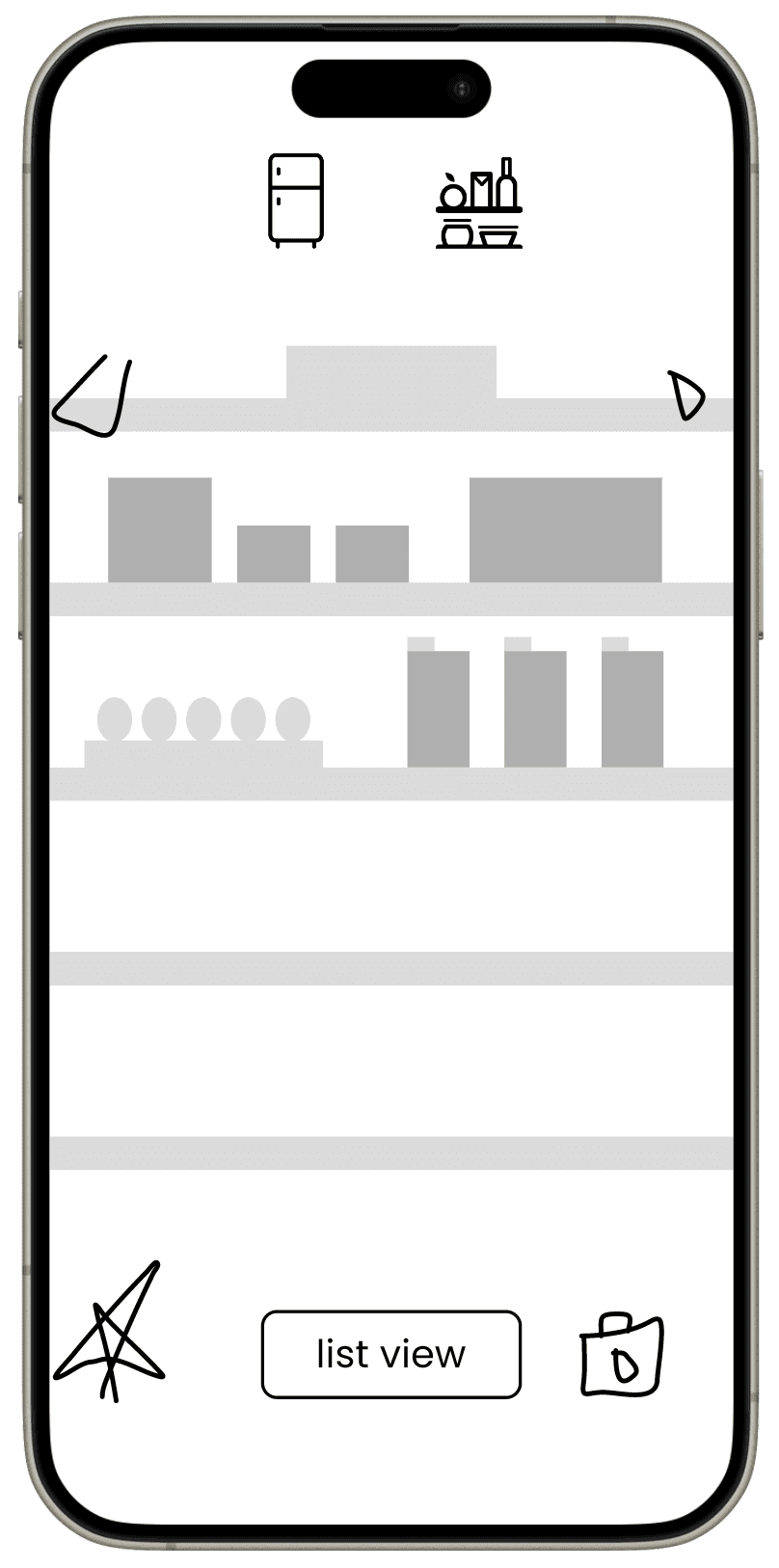
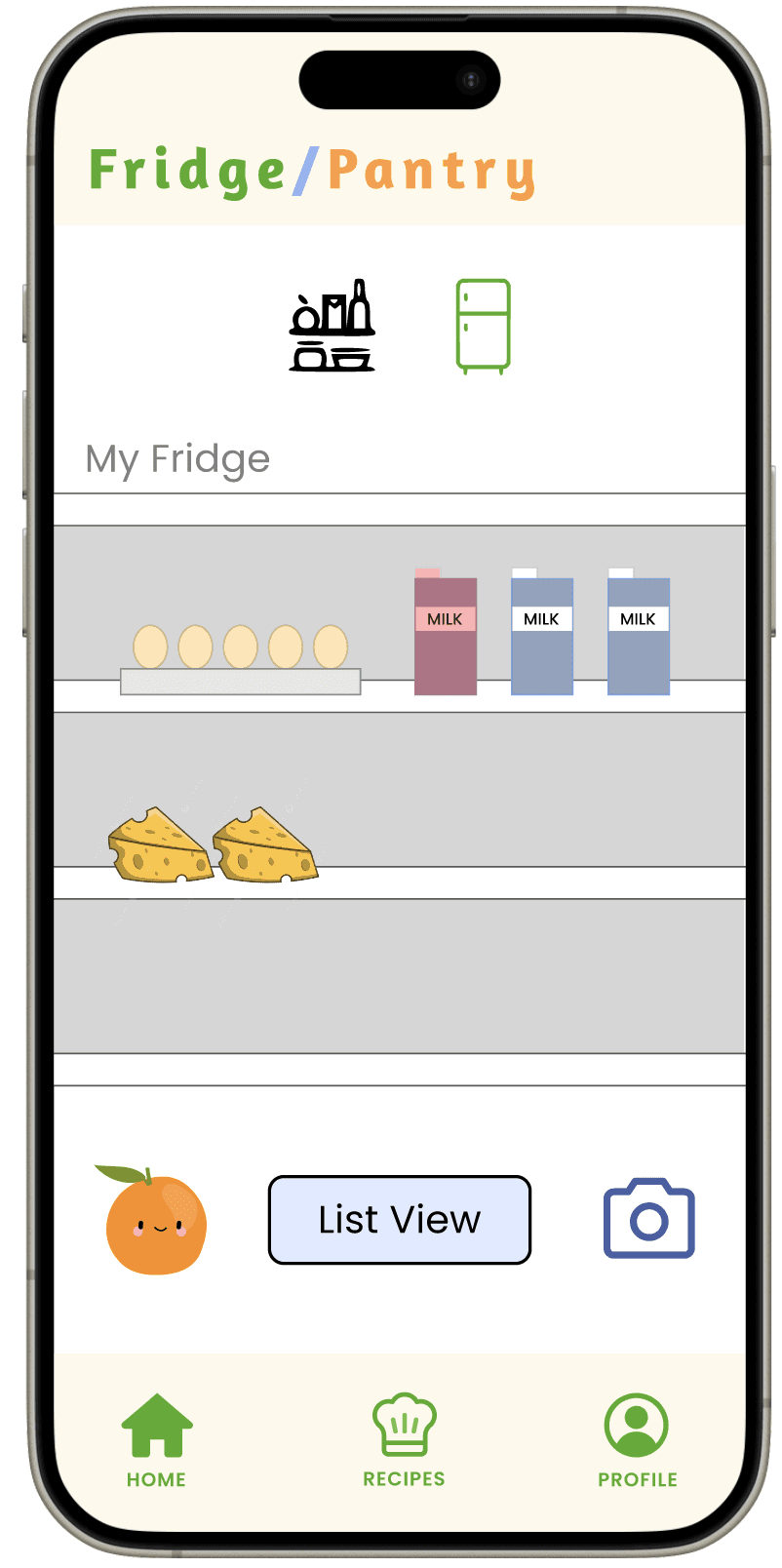
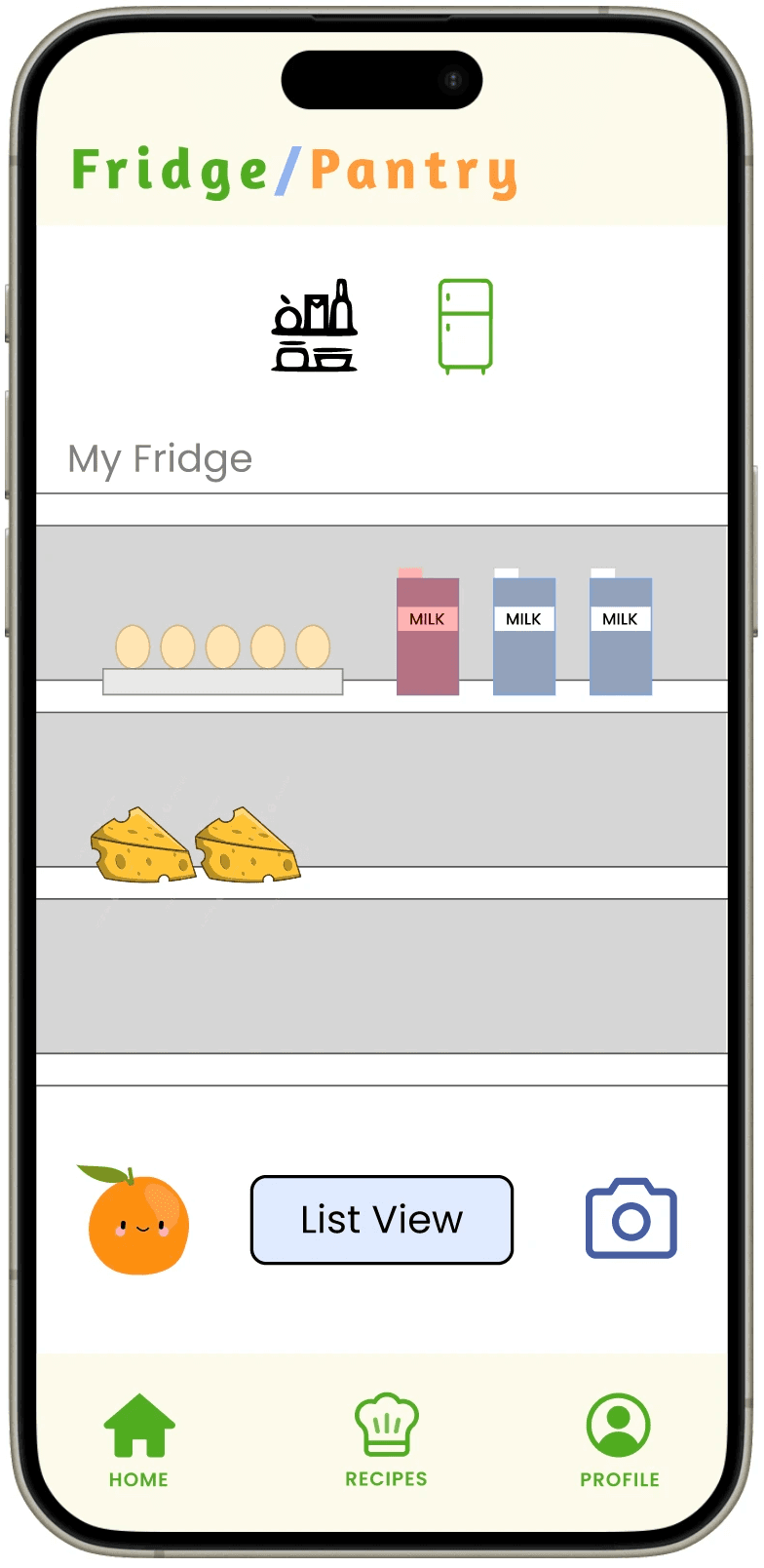
Primarily, we wanted to focus on the visual pantry & fridge, which would serve as the home screen and a way for users to view their food items in a dynamic manner.
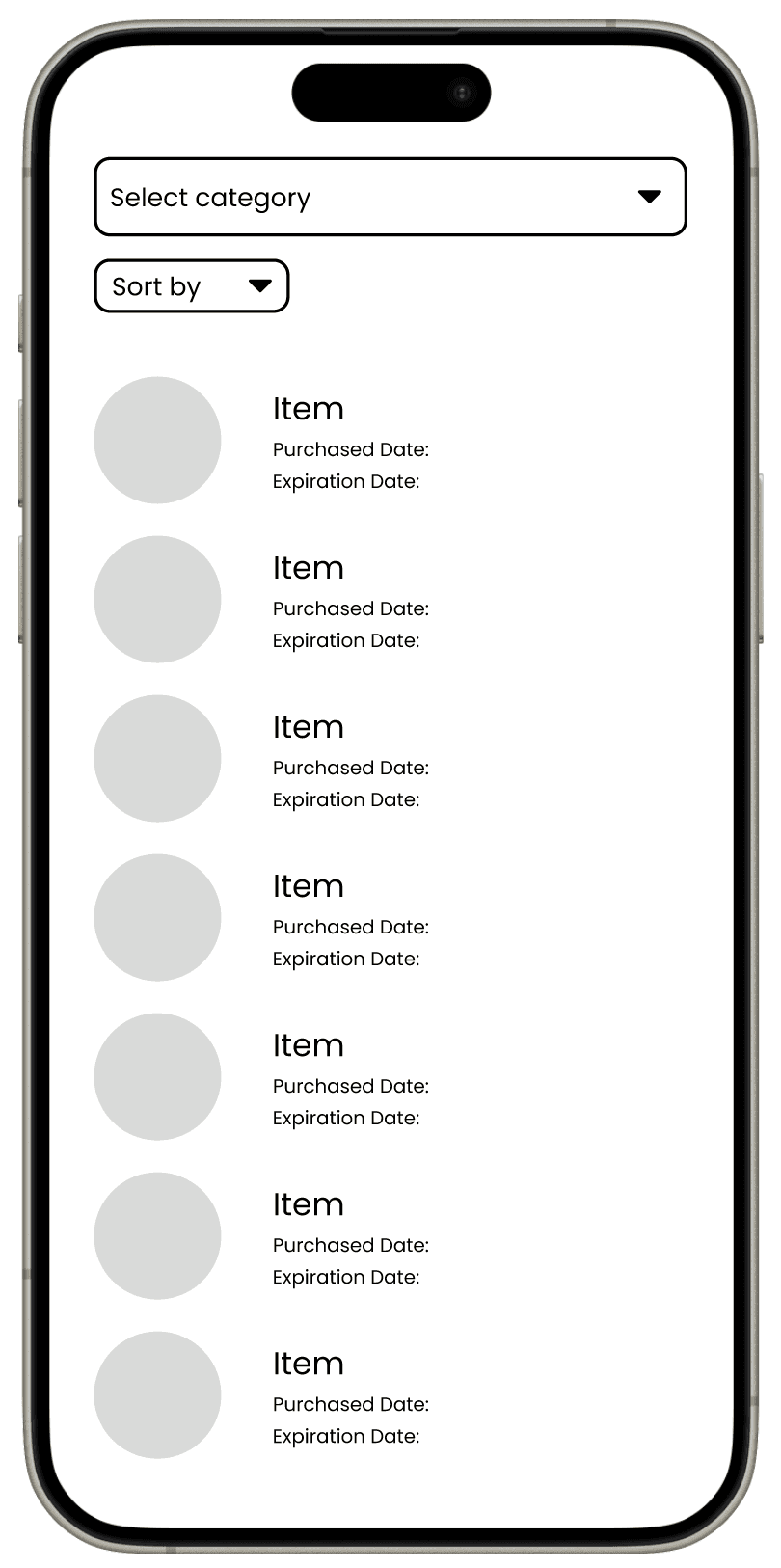
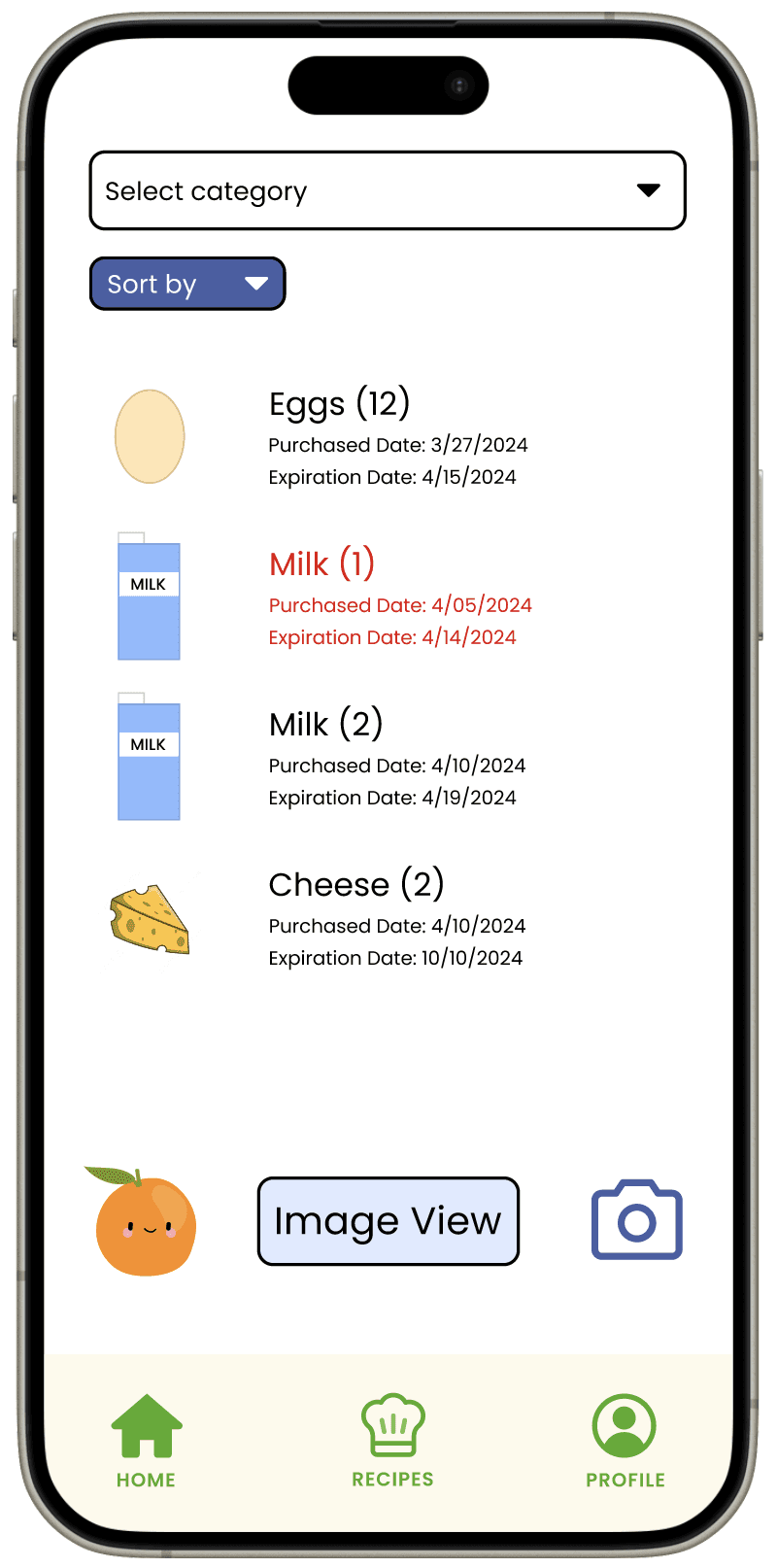
The user can toggle between a visual view and a textual view, signified by the "list view" and "image view" buttons at the bottom.
The user would also be able to toggle between viewing the fridge and the pantry by clicking on the icons at the top of the screen.
Primarily, we wanted to focus on the visual pantry & fridge, which would serve as the home screen and a way for users to view their food items in a dynamic manner.
The user can toggle between a visual view and a textual view, signified by the "list view" and "image view" buttons at the bottom.
The user would also be able to toggle between viewing the fridge and the pantry by clicking on the icons at the top of the screen.
Primarily, we wanted to focus on the visual pantry & fridge, which would serve as the home screen and a way for users to view their food items in a dynamic manner.
The user can toggle between a visual view and a textual view, signified by the "list view" and "image view" buttons at the bottom.
The user would also be able to toggle between viewing the fridge and the pantry by clicking on the icons at the top of the screen.
MOCKUPS - AI SCANNER
MOCKUPS - AI SCANNER
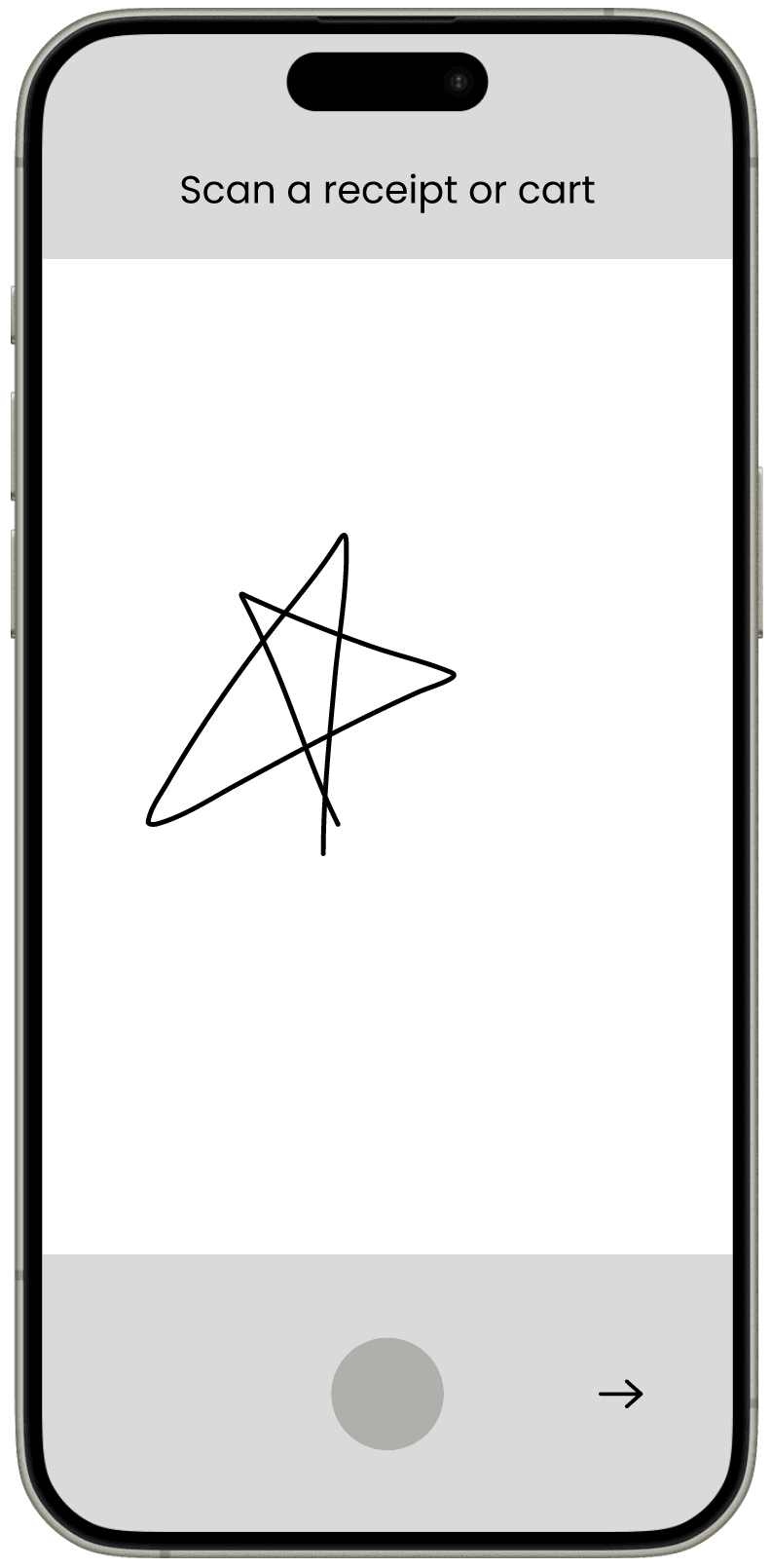
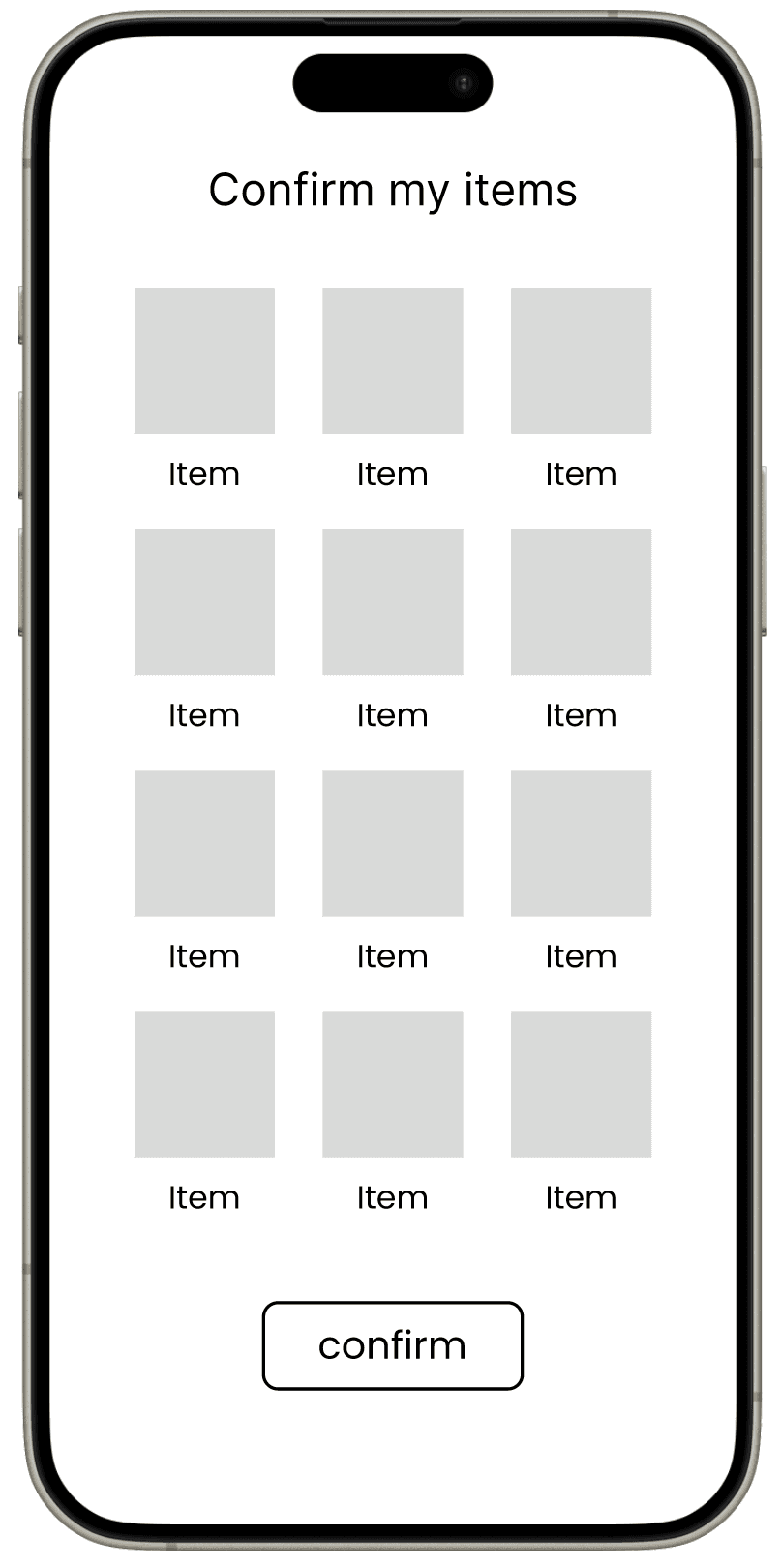
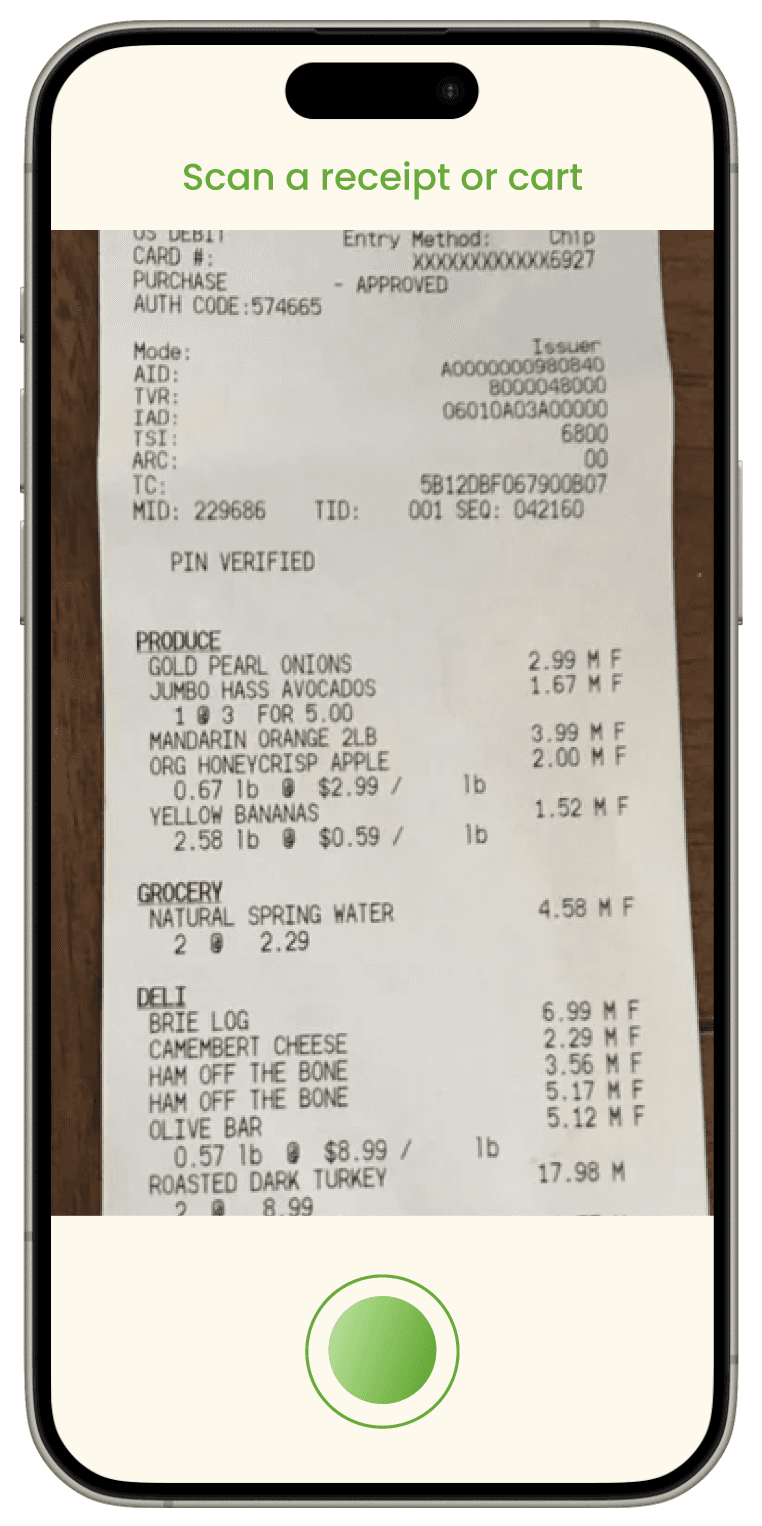
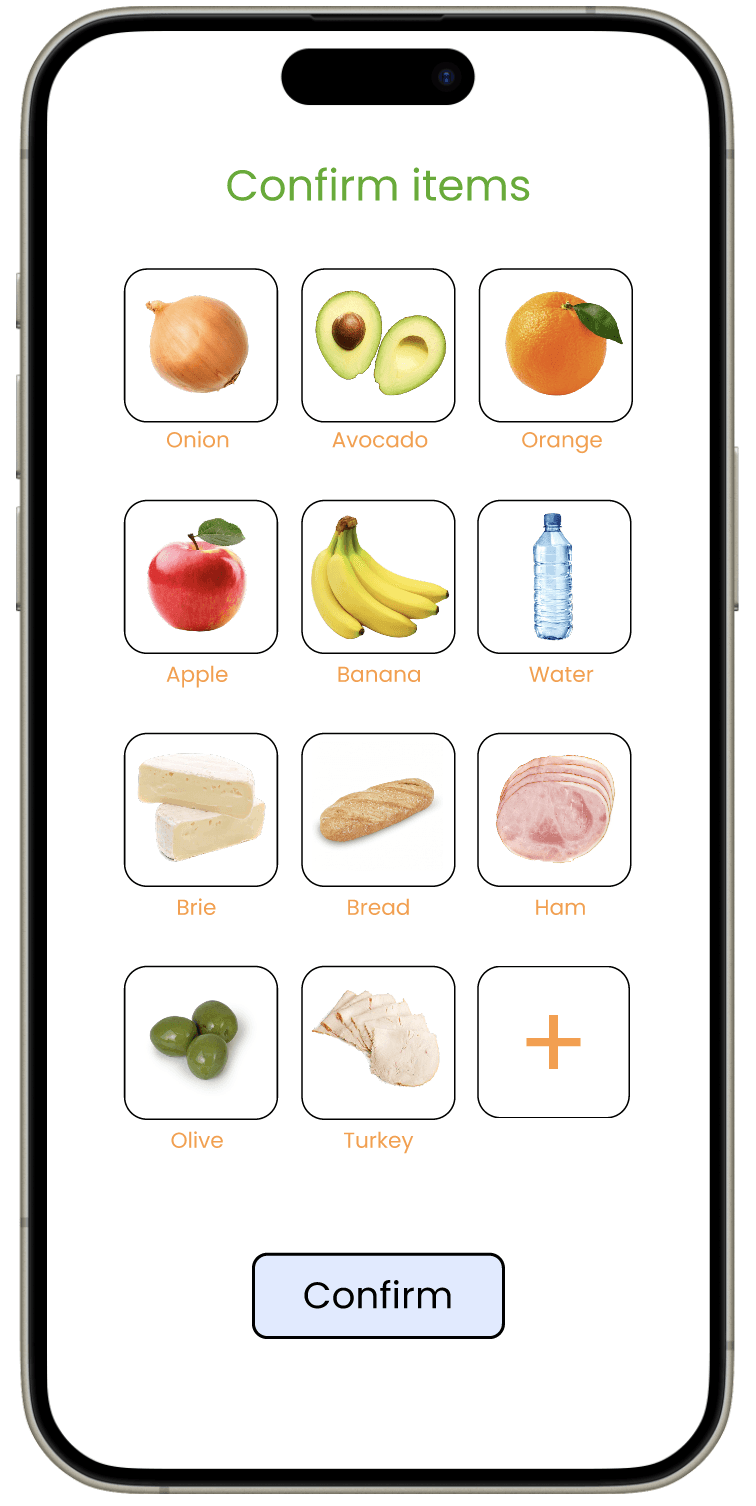
The AI scanner allows users to easily add items to their virtual pantry or fridge by scanning their grocery receipts or shopping carts. Once scanned, the app confirms the items before adding them to the inventory.
The AI scanner allows users to easily add items to their virtual pantry or fridge by scanning their grocery receipts or shopping carts. Once scanned, the app confirms the items before adding them to the inventory.
The AI scanner allows users to easily add items to their virtual pantry or fridge by scanning their grocery receipts or shopping carts. Once scanned, the app confirms the items before adding them to the inventory.
DAY 3: HI-FI MOCKUPS
DAY 3: HI-FI MOCKUPS

Once the user signs up and creates their profile, the user can take a quick tour provided by our orange character (full tour shown in prototype video).
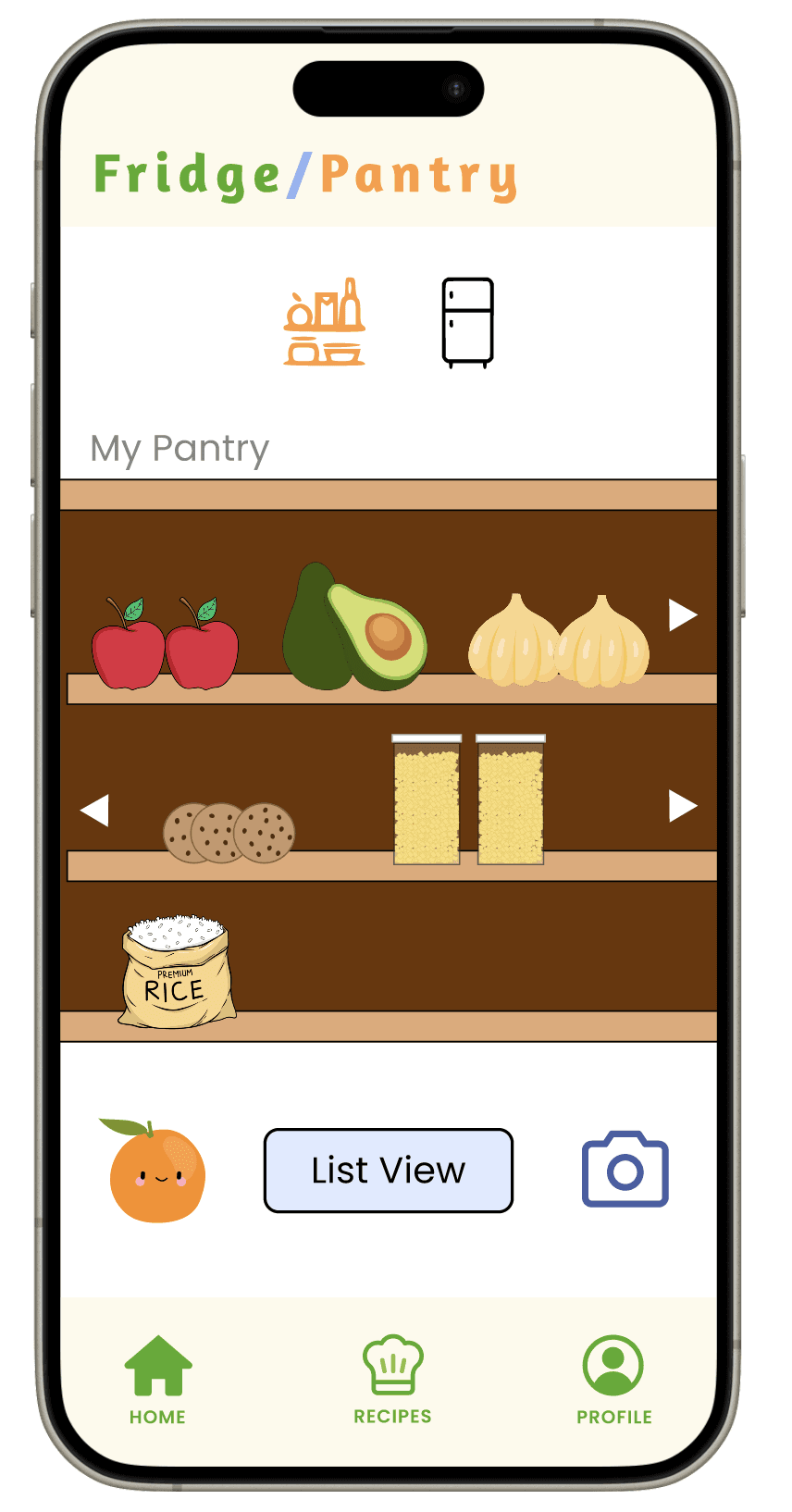
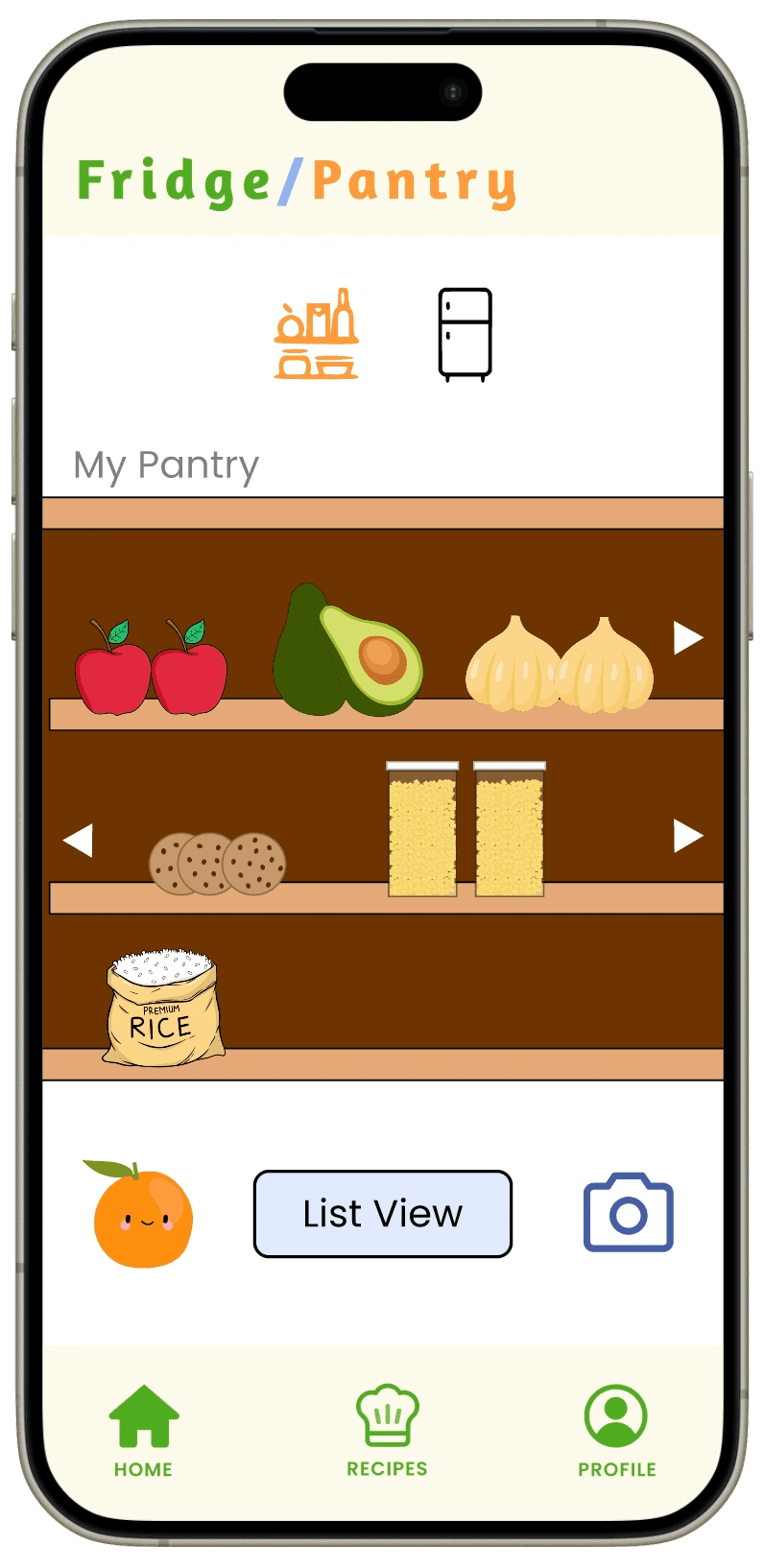
Once the tour is finished, they can toggle between viewing their pantry and their fridge using the icon buttons at the top, and between image and list view.
By using colors and images we grabbed from the Internet, we visually distinguished the pantry view from the fridge view. Additionally, we wanted to indicate to the user what their expired food items were with a red tint, as shown for the milk item in the fridge.
Once the user signs up and creates their profile, the user can take a quick tour provided by our orange character (full tour shown in prototype video).
Once the tour is finished, they can toggle between viewing their pantry and their fridge using the icon buttons at the top, and between image and list view.
By using colors and images we grabbed from the Internet, we visually distinguished the pantry view from the fridge view. Additionally, we wanted to indicate to the user what their expired food items were with a red tint, as shown for the milk item in the fridge.
Sneak Peek
Sneak Peek

The AI scanner serves to analyze the receipt that the user takes a picture of, and allows them to confirm the items that the AI recognized.
The AI scanner serves to analyze the receipt that the user takes a picture of, and allows them to confirm the items that the AI recognized.
OUTCOMES / WHAT WE COULD HAVE DONE BETTER
OUTCOMES / WHAT WE COULD HAVE DONE BETTER
After finishing this fast-paced design project, my team and I won third place in this designathon.
As a designer on this three-person team, I would have liked to conduct usability studies to test our product on our target audience. Since this was my first time designing for neurodivergent people, I believe that understanding our target users was the most significant part of the process, and if we had more time, I would have explored their needs and habits further.
I would also explore expanding on the visual pantry & fridge more, making the view more scalable and dynamic, and allowing addition and removal of items.
Also, I would have explored the usage of AI in our app more, and conduct more research on ways we could make our AI feature more intuitive and usable.
After finishing this fast-paced design project, my team and I won third place in this designathon.
As a designer on this three-person team, I would have liked to conduct usability studies to test our product on our target audience. Since this was my first time designing for neurodivergent people, I believe that understanding our target users was the most significant part of the process, and if we had more time, I would have explored their needs and habits further.
I would also explore expanding on the visual pantry & fridge more, making the view more scalable and dynamic, and allowing addition and removal of items.
Also, I would have explored the usage of AI in our app more, and conduct more research on ways we could make our AI feature more intuitive and usable.
Kavya Verma
Contact
kavya.verma@gmail.com
Kavya Verma
Contact
kavya.verma@gmail.com
Kavya Verma
Contact
kavya.verma@gmail.com